more Accordion element
for YOOtheme Pro
This plugin enhances the YOOtheme Pro accordion element with a searchbar and tab navigation. It also provides as JSON-API for the contents.
Build a nice FAQ section with the power of accordions like you are used to in YOOtheme Pro. Enable the searchbar and make your FAQs searchable. Structure many items with a tab navigation.
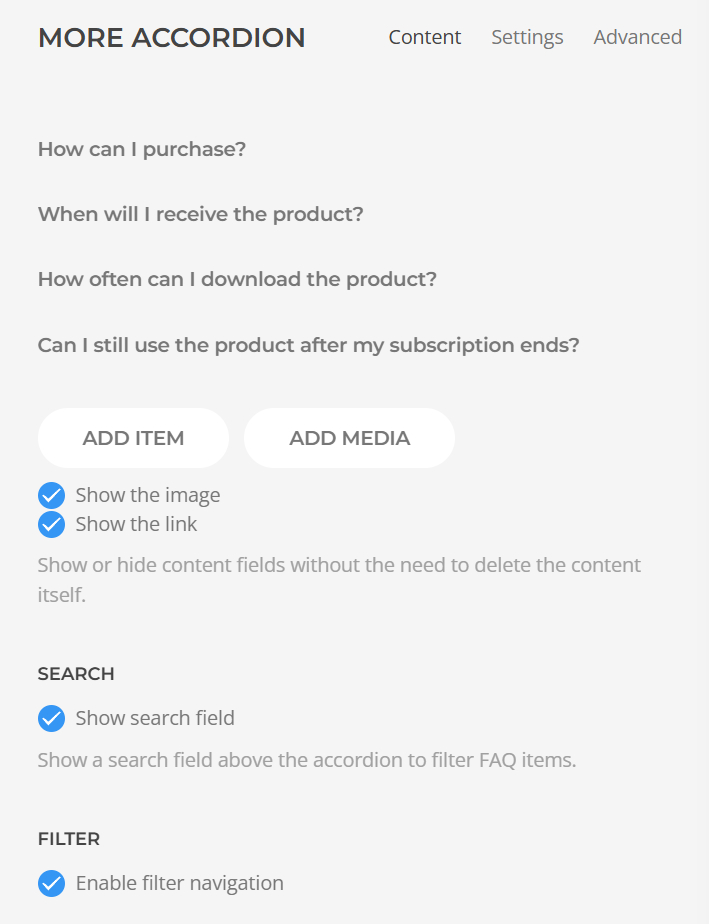
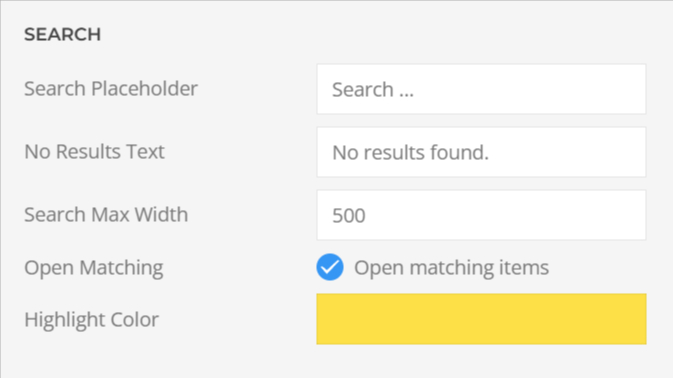
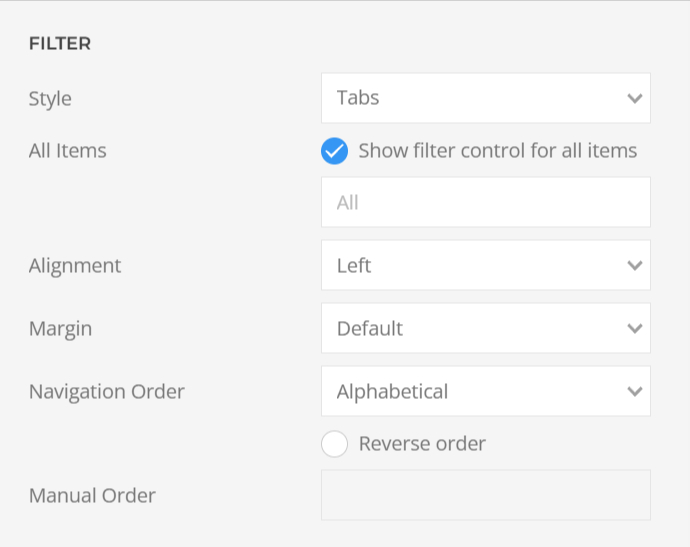
Check out the demo. Every demo has a price button to add the product to the cart. You can pay with PayPal.
Immediately after purchasing it with PayPal.
Unlimited times within 6 months after purchase.
Yes. You can still use the product as it is if your subscription ends. You get free updates for a time of 6 months. You can renew to get the latest features.
No results found.
Check out the demo. Every demo has a price button to add the product to the cart. You can pay with PayPal.
Immediately after purchasing it with PayPal.
Unlimited times within 6 months after purchase.
Yes. You can still use the product as it is if your subscription ends. You get free updates for a time of 6 months. You can renew to get the latest features.

From Joomla 4 and beyond Joomla has added a download key field to extensions that make updates more easy. Simply enter your download key from the Download section and update like any other extension. The key is valid for all products you bought on moreJoomla. You will then be able to install updates automatically while your subscription is active.
You can unpublish or uninstall our update plugin after adding this key. That plugin was used from Joomla 3 to 4.
From Joomla 5 and beyond we are using the Joomla Update Manager for a smooth upgrade experience. If you get an error you might use an older version of the installer plugin. You can safely uninstall the moreJoomla Installer plugin now.
Go to System > Manage > Extensions

search for "Installer MoreJoomla" and uninstall the plugin
Our latest versions of extensions use the Joomla Update Manager Download-Key option.
Go to System > Update > Update Sites
Filter by "Download Key Missing"
Click on the extension and enter your update key from the download area of moreJoomla.com
The Download-Key can be found here

Save and close the form. Upcoming updates will be installed while your subcription is active.
No results found.